

Is your device slowing you down?
We live in a connected world. Take a look around your home and count the number of devices you already have that can connect to the internet. It will be more than you think. In fact, by 2020 the average Australian home will has been predicted to have over 30 connected devices, including everything from fridges, air-conditioners and smart windows, through to the phones, video game consoles and laptops that are commonplace today.
Driven by the Internet of Things phenomenon, the number of devices connected to your home Wi-Fi is going to double over the next few years. The nbn™ broadband access network will help facilitate this evolution from humble house to fully-fledged smart home.
Access to fast broadband allows more devices to communicate more efficiently with the World Wide Web. However, if you are going to get the maximum benefits of fast broadband, you need to understand how Wi-Fi signals travel through your home and connect with your devices, so you can optimise your setup and technology.
Previously, we’ve offered advice on how to place your modem and router to optimise your Wi-Fi speeds. It gives you the best practises to ensure the Wi-Fi signal is as strong as possible when it travels from your router to your device. In this article, we’re going to go a little bit deeper and talk about the transmitters and receivers on the devices themselves.
Wi-Fi has changed over the years
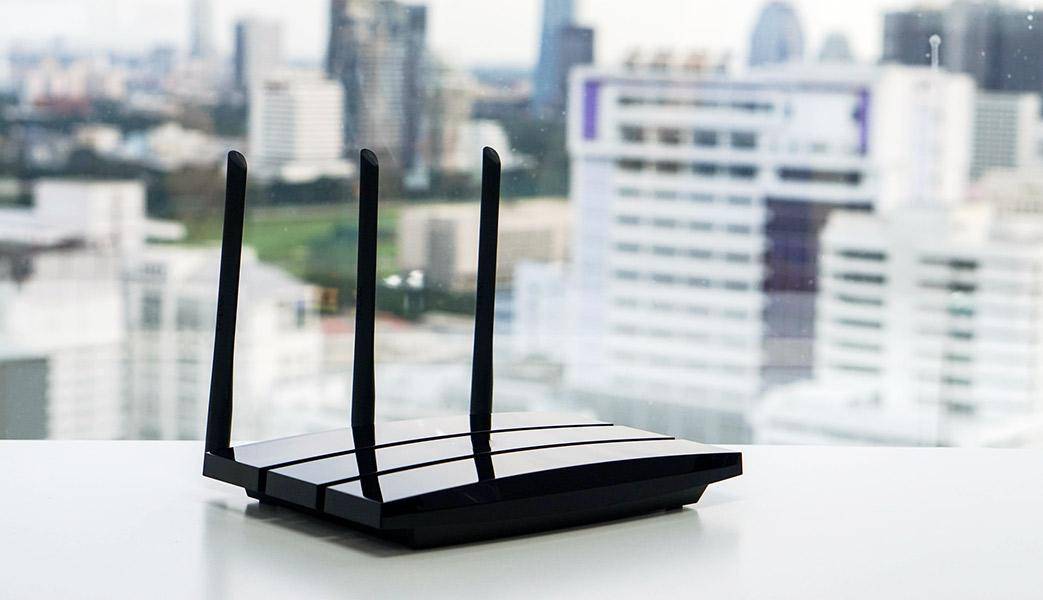
You may have seen the term “802.11” in relation to Wi-Fi, which can be confusing, but don’t worry about what the numbers mean. It’s just the name of the current Wi-Fi standard, in the same way HDMI or USB are standards for other connection formats.
Now for the important part: as you know, over the years USB has improved. We had USB, then USB 2.0, and now 3.0. Each of these milestones brought with it greater efficiency and speed. You can still plug a device that only supports USB 2.0 into a more-modern 3.0 socket, but it will still only function at 2.0 speeds.
Similarly, there have been five evolutions to the Wi-Fi standard since it entered the mainstream back in 1999. First there was 802.11a and 802.11b. After this came 802.11g in 2003, followed by 802.11n in 2009, and most recently 802.11ac in 2014. Each iteration saw an improvement in signal strength, speed or both.
But, like the example of plugging a USB 2.0 device into a 3.0 socket, your Wi-Fi speed does not necessarily change as soon as the new standard is available in your home. It’’s hardware driven: your device also needs to support the new standard.
So while your new Wi-Fi router might be pushing out the newest 802.11ac iteration, your devices may only support 802.11n, or even an earlier version. It is impossible for a device manufactured before 2014 to use the 802.11ac standard.
It works both ways. If you have an 802.11b router, then you can’t send out an 802.11ac signal. So even if your device has an 802.11ac receiver, it will be limited to 802.11b speeds.
To make the most out of fast broadband and your plan over the nbn™ access network, you want your devices and your router to all be on the latest and greatest 802.11 standard. Right now that’s 802.11ac, although 802.11n is still a popular and often satisfactory option.
If you are worried your router may be too old, we have more information available on how to check.
Your new tech checklist

Now that you understand the evolution of Wi-Fi, you know why it is important to have an optimal transmitter and receiver for the fastest broadband speeds.
Let’s do a quick, three-step checklist of what to keep in mind.
1. How old is your router? Is it capable of transmitting and receiving signals on the 802.11n or 802.11ac standards? It will usually tell you on the back or bottom of the device. If your router is limited to an earlier standard, you will probably need to upgrade it to get the best out of your plan over the nbn™-access network.
2. Is your router placed in the best position in your house? To learn more on this, read our Wi-Fi guide.
3. Are your devices compatible with the latest 802.11 standards? Any device you’ve bought from 2014 onwards might be compatible with all current ‘ac’ standard. At the very least it should support 802.11n. If you’re unsure, you can check your manual or the manufacturer’s website to be sure. If your device is limited to an older standard than your router, consider upgrading for optimal speeds.
Other things to consider

The above checklist will help you tick off some of the main issues that could be preventing your device from operating at the best possible broadband speed your home network has to offer. However, you can go deeper.
There are other factors worth considering.
Local congestion
The more devices you have connected to a Wi-Fi network at the same time, for example, the more work you’re asking your router to do.
At the moment, most modern routers should be able to handle demand just fine. But as we move towards that 30+ devices by 2020 milestone, that may very well change.
Frequencies
The difference between Wi-Fi transmission frequencies is also worth considering. There are two frequencies; 5GHz and 2.4GHz. The 5GHz frequency, used by both the 802.11n and the 802.11ac standards, is the faster of the two.
However, 2.4GHz is much better at travelling through physical obstacles like walls and has longer range. It is available as an option on the 802.11n standard only.
So if the layout of your house requires a bit more reach and obstacle penetration, you may get better speeds from the 2.4GHz frequency.
Many modern routers will switch between frequencies automatically depending on your device’s connection strength at any point in time, but this is not the case for all.
Multiple antennas
A nifty current trend in router design is called “Beamforming”.
This concept uses multiple antennas on a router to determine where your device is and to direct the signal in that direction.
Mesh
Finally, the latest, hottest trend in Wi-Fi is “Mesh” systems. This is when you have one primary router, and several smaller transmitters around the house. The primary router sends out its signal, which is then picked up by the smaller transmitters, boosted, and passed on.
This can seriously extend the range of your Wi-Fi, and even let it travel around objects or parts of a building that usually block signal. Being relatively new, Mesh systems often cost more than a standard router setup, so it’s probably only worth your while if you have trouble receiving Wi-Fi throughout your entire house.